
Vozohealth

Access Breaks Everything.

Medical Imaging Without Repeat Scans

Scattered images make follow-up unclear. Vozo connects studies and reports directly to the chart for better coordination.

Why Choose Vozo for Imaging

Built for care teams who need fast, reliable image access inside everyday workflows.

EHR Native Access

DICOM viewer EHR integration keeps imaging tied directly to patient charts without launching external systems.

Centralized Management

The image management system organizes studies and reports in one place for faster review and follow up.

Cloud Ready Delivery

Cloud-based medical image viewer supports secure access without local storage or maintenance overhead.
Features

What Imaging Handles for You

Keeps medical images accessible, organized, and ready for clinical use.

Image Viewing

Medical imaging software enables providers to view studies directly within the chart, reducing workflow interruptions.
DICOM Integration

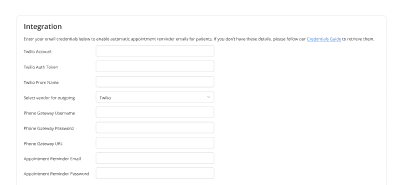
DICOM viewer EHR integration supports standard imaging formats without requiring separate PACS logins or tools.
Secure Storage

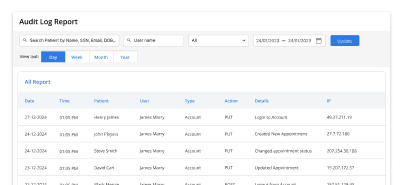
Medical image storage software stores imaging data securely while maintaining fast retrieval for clinical review.
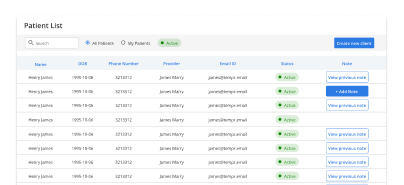
Unified Platform

Integrated medical imaging platform connects images, reports, and patient records in one consistent workflow.
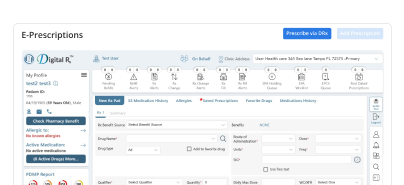
Cloud Access

Cloud-based medical image viewer allows authorized access across locations without duplicating files or downloads.
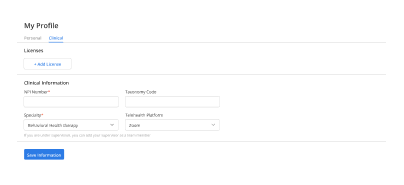
Workflow Alignment

The image management system keeps imaging activity aligned with orders, documentation, and follow-up tasks.

How Imaging Fits Into Your Day

System consolidation

Study access

Scan avoidance

Image linkage

Report follow up

Diagnostic confidence

Team coordination

Operational Impact You Can Measure

Clear improvements in speed, visibility, and coordination.

Faster access
0 %
Fewer repeats
0 %
Less rework
0 %
Lost images
0

Additional Related Features

Interoperability

External imaging ➜

Integrated Labs

Complete diagnostics ➜

Clinical Documentation

Image context ➜

Dedicated Dashboard

Case visibility ➜

Testimonials

Success Stories From Our Users

What Practices Say

“Vozo helped our providers manage imaging orders, reports, and follow-up tasks with better visibility. Results are easier to review alongside patient notes, so care decisions feel more organized.”

— Dr. Nolan Ashby, Diagnostic Care Physician

“Our clinic needed a cleaner way to track imaging requests from order to result review. Vozo made it easier for staff and providers to see what was pending, completed, and ready for follow-up.”

— Leora Finch, Imaging Operations Manager

Blogs & Resources

Resources to Help Your Practice Grow

Lab-Pharmacy-Billing Guide

Details HL7/FHIR standards for EHR connections to labs (ORM/ORU), pharmacies (NCPDP SCRIPT), and RCM systems, reducing errors.

Specialty Cloud EHR

Comprehensive guide covers features, benefits, pricing, and integrations optimized for ambulatory specialty clinics.

Oncology Lab Integration

Five strategies show how integrated labs in oncology EHRs boost diagnostic accuracy and treatment coordination.

FAQ

What Care Teams Ask About Imaging

Where do medical images usually get lost in care workflows?

Medical images often get separated when clinics depend on CDs, external portals, faxed reports, or disconnected imaging systems. Providers may spend extra time searching for scans before making decisions. Medical Imaging Software helps centralize imaging access so reports and scans stay connected to the patient chart throughout the care journey.

Why is DICOM important for diagnostic image viewing?

DICOM is the standard format used to store and exchange medical imaging files such as MRI, CT, ultrasound, and X-ray studies. When providers use systems with DICOM Viewer EHR Integration, they can review diagnostic images directly from the patient record instead of switching between multiple disconnected applications.

What problems happen when imaging reports stay outside the EHR?

When imaging reports stay outside the EHR, providers may miss findings, repeat tests, delay treatment decisions, or lose important diagnostic history between visits. Keeping reports connected to the patient chart improves visibility, helps specialists review cases faster, and supports more informed clinical decision-making across care teams.

How can cloud image access support remote clinical review?

A Cloud-Based Medical Image Viewer allows authorized providers to review scans securely from different locations without relying on local servers or specific workstations. This improves collaboration between specialists, supports remote consultations, and helps providers access diagnostic history quickly during urgent patient evaluations or follow-up visits.

Can imaging integration reduce PACS switching for providers?

Yes. DICOM Viewer EHR Integration reduces the need for providers to repeatedly switch between the EHR and external PACS platforms. Images, reports, and patient notes stay connected within the same workflow, helping clinicians review diagnostics faster while reducing interruptions during charting, referrals, and treatment planning.

What should practices check before choosing image storage software?

Practices should evaluate storage security, DICOM compatibility, image retrieval speed, cloud reliability, backup support, and role-based access controls. Strong Medical Image Storage Software should protect imaging data while making scans easy to retrieve for referrals, follow-ups, second opinions, and long-term patient record management.

How does connected imaging improve referral coordination?

Connected imaging workflows help specialists access scans, reports, and related clinical notes without waiting for CDs, emails, or manual uploads. An Integrated Medical Imaging Platform improves referral coordination by giving receiving providers faster access to diagnostic context before consultations, procedures, or follow-up treatment planning.

How does Vozo place imaging inside patient workflows?

Vozo connects imaging records directly with patient charts, clinical notes, reports, and treatment history inside the EHR workflow. Providers can review diagnostic information during documentation, follow-ups, and specialty consultations without switching systems, helping practices keep imaging workflows more organized and clinically connected.

What does Vozo imaging support include in pricing?

Vozo pricing starts at $25 per provider per month for EHR access and includes connected workflows for imaging review, documentation, scheduling, billing, reporting, and patient communication. Practices can schedule a guided demo to review imaging workflow requirements based on specialty, diagnostic volume, and operational needs.

Can Vozo help providers review diagnostic images securely?

Yes. Vozo supports secure diagnostic image review through encrypted access controls, connected imaging workflows, and role-based permissions. Providers can review scans alongside patient records, helping practices reduce fragmented imaging access while keeping diagnostic review, care coordination, and documentation within one secure clinical environment.

Every Missed Slot Costs More

Stabilize your schedule now before small gaps turn into daily disruptions.

✓ No Credit Card Required


  • 24/7 Support
  • Free data migration from your old EHR


  • Built-in telehealth
  • Automated appointment reminders


  • Increase revenue by 30%
  • Complete patient notes
Launch login modal Launch register modal