
When Patients Are Disconnected.
Patient Portals That Work for Everyone
Disconnected communication creates frustration for patients and staff. Vozo centralizes access so tasks are completed without confusion.
Why Choose Vozo for Patient & Client Portals
Built for care teams who need patient access to reduce work, not create more of it.

EHR-Connected Access
Patient portal EHR workflows keep information synced to the chart without manual updates or duplicate records.

Designed for follow-through
Online patient portal features focus on forms, updates, and tasks patients actually complete.

Security First
HIPAA-Compliant Client Portal Software protects patient data without slowing communication or care delivery.
Features
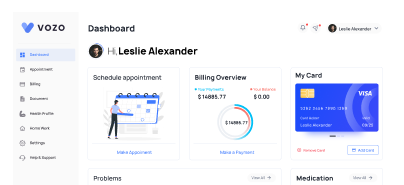
What the Patient Portal Handles for You
Keeps patients informed while reducing inbound work for staff.

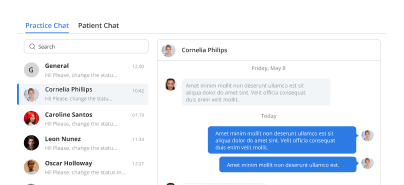
Form Completion
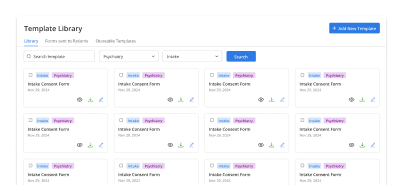
Online patient portal supports pre-visit forms, reducing missing paperwork and check-in delays on visit days.
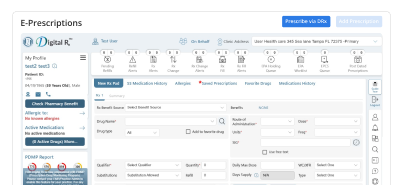
Automatic EHR Sync
Client portal EHR integration ensures updates automatically reflect in patient charts without staff re-entry.
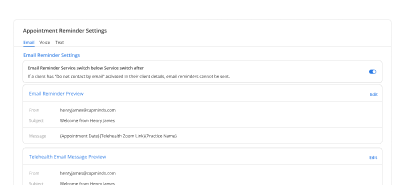
Task Reminders
Automated prompts help patients complete required actions before visits, improving readiness and follow-through.
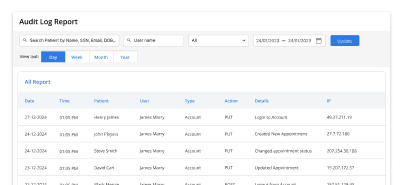
Privacy Controls
Client portal software enforces role-based access and safeguards patient information across all interactions.
How the Patient Portal Fits Into Your Day
Call reduction
Visit preparedness
Document collection
Message resolution
Communication history
Check-in efficiency
Operational predictability
Operational Impact You Can Measure
Clear gains in efficiency, preparedness, and patient engagement.
Additional Related Features
Testimonials
Success Stories From Our Users
What Practices Say
“Vozo’s patient portal helped our patients handle more tasks on their own. Appointment updates, messages, forms, and care instructions are easier to access without calling the front desk every time.”
— Dr. Mireya Collins, Family Medicine Physician
“Our staff used to spend too much time answering routine patient questions. Vozo gave patients a clearer way to review information, send messages, and stay connected between visits.”
— Nolan Whitaker, Patient Access Manager
Blogs & Resources
Resources to Help Your Practice Grow
Portal Impact Tracking
Eight essential metrics, including adoption rate, active usage, message volume, and appointment scheduling, to measure patient portal engagement effectiveness.
Portal Software Evaluation
Comprehensive guide evaluating patient portal software capabilities, usability, integration features, and performance for healthcare provider selection
Portal Implementation Checklist
Ultimate checklist covering essential patient portal features, security requirements, integration needs, and implementation best practices for healthcare practices.
FAQ
What Care Teams Ask About Patient Portals
Patients prefer digital access because they can handle routine care tasks without calling the clinic. A healthcare patient portal allows them to view appointments, complete forms, send messages, pay bills, and access care details online. This improves convenience while reducing delays caused by phone-based coordination.
Patients can manage appointment requests, intake forms, secure messages, telehealth access, payments, and selected health information through an online patient portal. These self-service options help patients stay connected to their care while reducing the need for staff to manually handle every request.
Clinics should introduce patient portal software when phone calls, paper forms, missed messages, and manual payment follow-ups begin slowing daily operations. A portal gives patients a central place to complete common tasks, helping practices improve access without adding more front-desk workload.
Portal access helps patients stay involved between appointments by giving them a secure way to review instructions, send non-urgent questions, complete forms, and manage follow-ups. This keeps communication active beyond the visit and helps patients take more responsibility for routine care steps.
Yes. A patient portal can reduce missed appointments by giving patients easier access to appointment details, reminders, rescheduling options, and follow-up instructions. When patients can manage scheduling online, clinics spend less time handling avoidable calls and filling last-minute gaps.
A secure patient portal should include protected login, encrypted communication, role-based access, audit tracking, and EHR connectivity. These safeguards help clinics protect patient information while keeping messages, forms, appointments, and billing activity tied to the correct patient record.
A client portal EHR supports behavioral health by giving clients private access to forms, appointments, messages, payments, and telehealth sessions. It helps therapists reduce manual coordination while keeping client communication organized, confidential, and connected to the care record.
Vozo brings scheduling, intake forms, secure messaging, telehealth, billing, and patient communication into one connected portal workflow. Patients can complete routine actions online, while staff receive updated information directly inside the EHR instead of managing disconnected tools.
Yes. Vozo supports both healthcare patient portal and client portal software needs for medical, behavioral health, and specialty practices. Practices can use Vozo to manage appointments, forms, secure communication, payments, and virtual visits through one patient-facing access point.
Practices can review Vozo patient portal access through Vozo pricing plans starting at $25 per month for EHR access. Teams can also schedule a guided demo to see portal workflows for intake, communication, telehealth, billing, and patient engagement.
Stabilize your schedule now before small gaps turn into daily disruptions.
✓ No Credit Card Required
- 24/7 Support
- Free data migration from your old EHR
- Built-in telehealth
- Automated appointment reminders
- Increase revenue by 30%
- Complete patient notes