
Vozohealth

Clarity Drives Better Decisions.

Healthcare Dashboard Built for Real Workflows

Scattered information slows teams down. Vozo brings everything into one view so work stays focused and on track.

Why Choose Vozo for a Dedicated Dashboard

Built for care teams who need clarity, not another reporting tool to manage.

Designed for Action

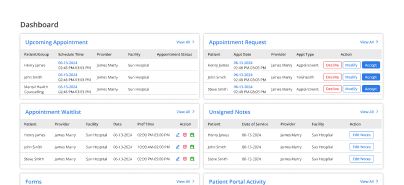
The medical practice dashboard highlights what needs attention now, not just static reports.

Live EHR Connection

The EHR dashboard system pulls live data directly from workflows, eliminating manual tracking or exports.

Flexible by Role

Customizable medical dashboard adapts views for clinical, operational, and administrative needs.
Features

What the Dedicated Dashboard Handles for You

Keeps priorities visible, organized, and easy to act on.

Live Overview

Display real-time clinical and operational activity so teams identify issues early and act faster today.
Task Visibility

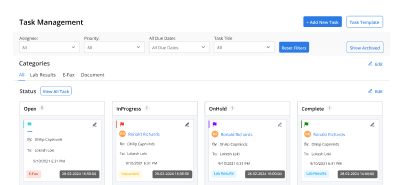
Surface pending tasks clearly so staff prioritize work without searching multiple systems daily during shifts.
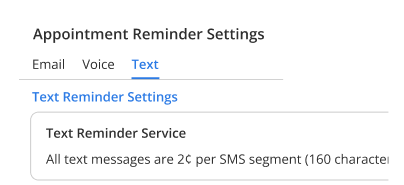
Clinical Insights

Highlight trends and exceptions to support faster, better-informed clinical decisions across care teams during visits.
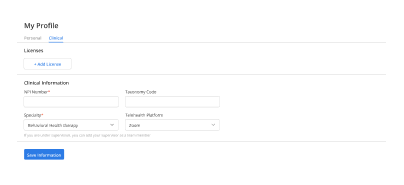
Workflow Status

Show visit, documentation, and follow-up status at a glance to reduce coordination delays across clinics.

Custom Views

Allow teams to tailor dashboard layouts by role, specialty, and daily operational priorities without reconfiguration.
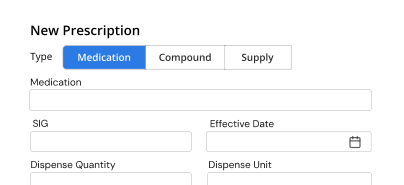
Centralized Access

Centralize information to minimize time spent navigating charts, reports, and queues each day for staff.

How the Dedicated Dashboard Fits Into Your Day

Screen consolidation

Urgent identification

Priority clarity

Follow-up capture

Role coordination

Workflow predictability

Cognitive relief
Operational Impact You Can Measure

Clear gains in focus, speed, and coordination.

Faster Triage
0 %
Less Searching
0 %
Better Visibility
0 %
Missed Tasks
0

Additional Related Features

Scheduling

Daily flow ➜

Clinical Documentation

Status clarity ➜

Referral Management

Follow up tracking ➜

Billing & Financial

Revenue visibility ➜

Testimonials

Success Stories From Our Users

What Practices Say

“Vozo’s dedicated dashboard helped our team see daily priorities without searching across multiple screens. Appointments, pending tasks, patient updates, and billing activity are easier to review at a glance.”

— Dr. Helena Marwick, Clinic Medical Director

“Our managers needed faster visibility into what was happening across the practice. Vozo gave us a cleaner dashboard view for schedules, documentation status, team workload, and follow-up needs.”

— Callum Prescott, Practice Operations Manager

Blogs & Resources

Resources to Help Your Practice Grow

Multi-Chronic Management

Integrated EHR dashboards coordinate care for complex patients, monitor trends, and enable proactive interventions effectively.

Key Practice Metrics

Essential metrics to monitor via practice management dashboards for operational efficiency and revenue optimization.

Patient Literacy Boost

Interactive EHR dashboards increase health literacy 800% through visual data and shared decision-making tools.

FAQ

What Care Teams Ask About the Dedicated Dashboard

Why do practices need a dedicated healthcare dashboard?

Practices need a dedicated dashboard to view appointments, billing, clinical tasks, patient updates, and performance data in one place. Healthcare Dashboard Software helps teams avoid switching between multiple screens and gives providers, managers, and staff faster visibility into daily operations.

Which data should a medical practice dashboard show?

A Medical Practice Dashboard should show appointments, patient volume, open tasks, claims status, payments, pending notes, provider productivity, and care alerts. These insights help teams understand what needs attention each day without manually pulling reports from separate systems.

How does dashboard visibility help clinic teams work faster?

Dashboard visibility helps clinic teams prioritize urgent work, reduce missed tasks, and respond faster to schedule, billing, or documentation issues. When key updates are shown in one view, staff spend less time searching for information and more time completing patient-facing work.

When should clinics customize their dashboard views?

Clinics should customize dashboards when different roles need different information. Providers may need clinical tasks and patient updates, while managers need revenue, schedules, and team performance. A Customizable Medical Dashboard helps each user focus on the data most relevant to their work.

How can clinical dashboards support better care decisions?

A Clinical Analytics Dashboard can show trends, patient activity, care gaps, pending documentation, and follow-up needs. These insights help providers identify what requires attention before issues are missed, supporting more informed decisions during patient care and daily practice reviews.

Can dashboards improve billing and revenue tracking?

Yes. Dashboards can help teams monitor claims, denials, payments, unpaid balances, and billing tasks from one place. This helps practices identify revenue delays earlier, follow up on pending items faster, and reduce missed billing opportunities caused by scattered financial data.

How should dashboards connect with EHR workflows?

An EHR Dashboard System should connect directly with scheduling, charting, billing, patient communication, and reporting workflows. This keeps dashboard data current and reduces manual report building, helping teams act on real-time information instead of outdated or disconnected practice data.

How does Vozo organize practice data on dashboards?

Vozo organizes clinical, scheduling, billing, and patient activity data into dedicated dashboard views inside the EHR. Teams can review daily tasks, appointments, documentation status, and operational updates from one connected workspace instead of moving across separate systems.

What does Vozo dashboard access cost?

Vozo pricing starts at $25 per provider per month for EHR access, including dashboard views, scheduling, documentation, billing, patient communication, and reporting workflows. Practices can review dashboard needs through a guided demo based on provider roles, team structure, and specialty workflow.

Can Vozo dashboards be adapted for different roles?

Yes. Vozo dashboards can support role-based views for providers, front-desk teams, billing staff, and practice managers. This helps each team member focus on relevant tasks, patient updates, claims, schedules, and performance data without being overloaded by information they do not need.

Every Missed Slot Costs More

Stabilize your schedule now before small gaps turn into daily disruptions.

✓ No Credit Card Required


  • 24/7 Support
  • Free data migration from your old EHR


  • Built-in telehealth
  • Automated appointment reminders


  • Increase revenue by 30%
  • Complete patient notes
Launch login modal Launch register modal