

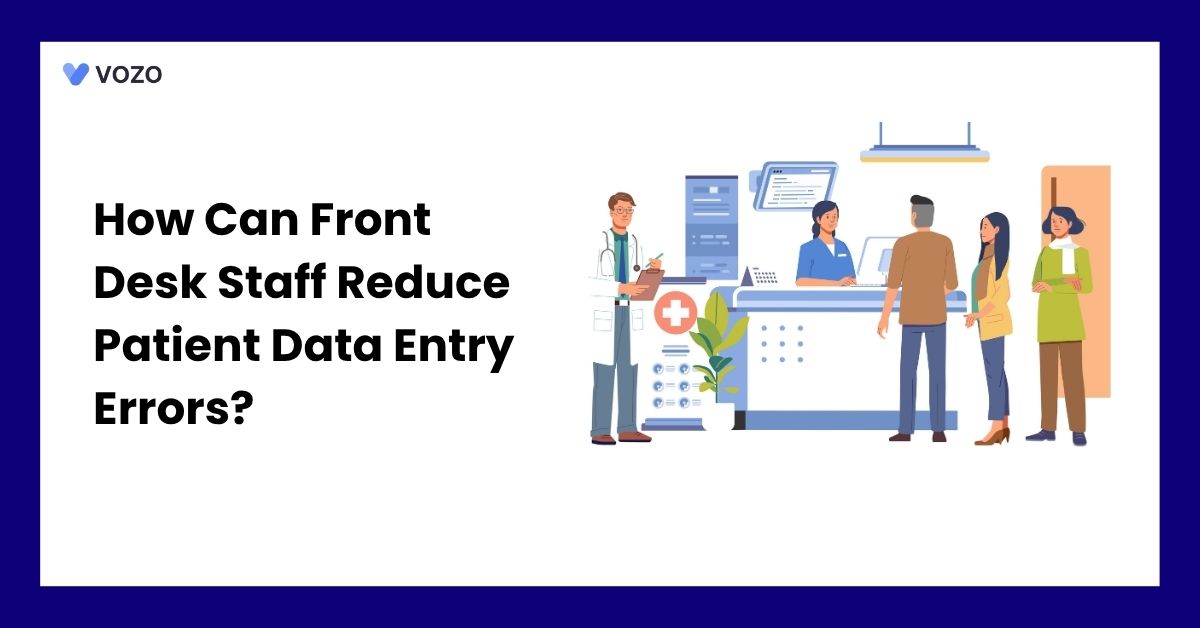
How Can Front Desk Staff Reduce Patient Data Entry Errors?
A patient walks up to the front desk. They give their name, date of birth, and insurance card. The staff member types it in fast because the waiting room is full. One digit gets swapped in the date of birth. Nobody notices.
That one small typo can lead to a claim rejection, payment delay, or, in some cases, a denial. It can also create a duplicate record or connect information with the wrong patient. Patient registration errors are a recurring problem across healthcare settings, especially when staff work under time pressure or depend on repeated manual entry.
Below, we explain where these errors begin and the practical steps front desk teams can use to prevent them.
What Are Front Desk Patient Data Entry Errors?
Front desk patient data entry errors are incorrect, incomplete, outdated, or duplicated details entered during scheduling, check-in, phone intake, or preregistration.
They may involve patient identity, contact details, insurance coverage, guarantor information, emergency contacts, consent status, communication preferences, and other information collected before the visit.
AHIMA’s 2026 patient naming framework describes high-quality identity data as accurate, complete, consistent, and timely. It also defines a duplicate as a situation in which one patient has more than one medical record in the same healthcare system, leaving parts of the patient’s history spread across different records.
Common Patient Registration Errors
| Error type | Common example | Possible result | Front desk control |
| Patient identity error | Incorrect date of birth or misspelled legal name | Wrong match, duplicate record, or claim mismatch | Ask the patient to state the information and search before creating a record |
| Name-format error | Nickname entered as the legal name | Failed matching across payers or outside systems | Store legal, preferred, and previous names in separate fields when the system supports them. |
| Contact error | Old address, phone number, or email | Missed reminders, returned statements, and weaker matching | Confirm selected contact fields at each visit |
| Insurance error | Wrong member ID, group number, or subscriber | Eligibility failure, claim rejection, or patient billing issue | Run real-time eligibility and compare the response with the card |
| Guarantor error | Patient and subscriber relationship entered incorrectly | Bill sent to the wrong person or payer | Confirm the guarantor and relationship before saving |
| Duplicate record | New chart created for an existing patient | Fragmented history and possible safety risk | Search with multiple demographic combinations and route uncertain matches |
| Missing information | Omitted suffix or middle name when applicable, missing consent status, or missing preferred language | Matching, communication, or workflow problems | Use required fields and conditional validation |
Why Patient Registration Errors Cause Larger Problems
Patient registration is the first data collection point for many healthcare workflows. When incorrect information enters the system, it can move through several connected applications before anyone notices.
For example, an incorrect date of birth may affect patient matching, payer eligibility, laboratory interfaces, patient portal access, and claim submission. An incorrect phone number may prevent appointment reminders, patient authentication, or follow-up communication.
CMS states that when the name and Medicare beneficiary identifier on a claim do not match its central record, the Medicare Administrative Contractor will return the claim and ask the provider to verify the information.
Patient identification errors can also affect care. AHRQ documented a case in which a patient was checked in under another person’s record. Several small registration failures caused the error. The case shows why registration accuracy should be treated as a patient safety process rather than only a billing task.
Why Do Front Desk Patient Data Entry Errors Happen?
Most patient registration errors are caused by busy or poorly designed workflows rather than staff carelessness. Front desk employees often handle several tasks at once. They may answer calls, check in patients, collect payments, and resolve insurance questions. This pressure increases the chance of skipped checks or incorrect entries.
Errors also happen when information is entered more than once, copied from an older visit, or recorded in different formats. For example, one employee may enter “Street,” while another uses “St.,” making patient matching less reliable. ONC notes that patient matching depends on patient details such as name, date of birth, phone number, and address.
Too many free-text fields, unclear registration rules, and no process for handling possible duplicate records can make the problem worse. Even small errors, such as misspellings, transposed numbers, or missing fields, can create downstream patient identification problems.
How Front Desk Staff Can Reduce Patient Data Entry Errors
Front desk teams do not need a complicated process to improve registration accuracy. A few consistent steps can prevent incorrect patient records, eligibility problems, claim rejections, and avoidable billing work.
1. Use Two Patient Identifiers Every Time
Ask patients to state at least two identifying details, such as their full name and date of birth. Do not read the information from the screen and ask for a simple yes-or-no answer.
The Joint Commission’s 2026 National Performance Goal applies to its Hospital and Critical Access Hospital programs. Outpatient practices can still use the same two-identifier approach as a practical patient-safety control.
A simple front desk question is:
“Please tell me your full name and date of birth.”
This approach gives the patient a chance to provide the correct information instead of agreeing with information that may already be wrong.
2. Search Before Creating a New Patient Record
Before selecting “new patient,” search the EHR using more than one combination of patient details.
Staff can search by:
- Full name and date of birth
- Date of birth and phone number
- Previous name and date of birth
- Address and phone number
- Medical record number
Patient-matching workflows use several details to find the correct record. These include the patient’s name, birth date, phone number, and address. Using more than one search combination makes it easier to find existing records and prevent duplicates.
When two records appear similar, staff should not guess or create another chart. The case should be sent to a supervisor or authorized patient identity team for review.
3. Move to Digital Pre-Registration
Digital patient intake forms improve the patient intake process by allowing patients to submit their information before the appointment.
Patients can provide or update their:
- Name and date of birth
- Address and contact details
- Insurance information
- Emergency contact
- Communication preferences
- Required consent forms
When patients complete these details from home, front desk staff can review the information instead of typing everything during a busy check-in.
Digital forms still need staff review. Information submitted by a patient should be compared with the existing record before it replaces stored data.
4. Scan Insurance Cards Instead of Typing Them
Entering long member IDs and group numbers by hand creates opportunities for missing or transposed characters.
Insurance card scanning or image-capture tools can reduce manual typing. However, staff should still compare the captured information with the card before saving it because scanning tools can misread letters, numbers, or damaged cards.
When scanning is unavailable, staff can use a simple double-check process by comparing the card and the EHR screen before completing registration.
5. Use a Standard Verification Script
Give every front desk employee the same basic verification script.
A simple script may include:
“Please confirm your full legal name and date of birth.”
“What is your current address?”
“What phone number should we use for appointment reminders?”
“Is this still your active primary insurance plan?”
“Has your secondary insurance changed?”
A written script reduces guesswork and makes it less likely that important information will be skipped during a busy shift.
Tired of Typing the Same Patient Info Three Times a Day?
Every retype is a new chance for a typo, a denied claim, or a duplicate chart. Vozo connects intake, scheduling, and billing so your team enters patient details once and gets it right the first time.
6. Use Structured Fields and EHR Validation
Use dropdowns, date selectors, address tools, and validation rules where they make sense. A well-configured cloud-based EHR can apply required fields, format checks, role-based access, and duplicate-record alerts during registration.
For example, the EHR can flag:
- A birth date entered in the future
- An incomplete or unstandardized address
- An incomplete phone number
- An incorrectly formatted email address
- A missing subscriber relationship
- A member ID that does not match configured payer rules
- A possible duplicate patient record
Structured fields should not replace every free-text field. Patient names and unusual addresses may still require flexible entry. The goal is to add controls where they improve accuracy without preventing staff from recording valid information.
7. Run Real-Time Insurance Eligibility Checks
Do not rely only on the insurance card or information stored from a previous visit.
Use real-time insurance eligibility checks before the appointment or during check-in to confirm:
- Whether coverage is active
- The patient’s member ID
- The payer and plan
- Coverage dates
- Primary and secondary coverage
- Copayment or deductible information when available
The standard electronic eligibility process uses a 270 inquiry and a 271 response to obtain information about a patient’s coverage and benefits. CMS also provides HETS for real-time Medicare fee-for-service eligibility verification.
Since May 11, 2026, CMS has required a valid HETS EDI enrollment for each NPI submitted for Medicare eligibility verification.
An eligibility response is not a guarantee that the payer will approve or pay the claim. However, it can help staff identify inactive plans and mismatched information before the patient leaves.
8. Ask the Patient to Review the Information
After registration, let the patient review the information through a secure patient portal, tablet, printed summary, or check-in screen.
Ask targeted questions instead of saying, “Is everything still the same?”
For example:
“I have your address as 214 Maple Street. Is that still correct?”
“Is this the best phone number for appointment reminders?”
“Is this your current primary insurance?”
When confirming information verbally, staff should speak quietly and avoid reading full insurance IDs or other sensitive details where people nearby can hear them.
9. Train Staff on Why Accuracy Matters
Training should explain what can happen after incorrect information is saved.
A wrong date of birth, address, or insurance ID can contribute to:
- Duplicate patient records
- Failed patient matching
- Eligibility errors
- Claim rejections
- Returned statements
- Delayed patient portal access
- Extra work for billing and clinical teams
Short refresher sessions can be more useful than one long annual training. Teams should also review recent registration problems so staff can see where errors occurred and how to prevent them.
10. Track Registration Error Rates
Practices should track how often registration errors occur and where they begin. Review the results regularly and use them to improve the workflow rather than blame individual staff.
11. Reduce Repeated Data Entry
Each time patient information is copied into another form or system, another error can occur.
Connect digital intake forms, the EHR, practice management software, eligibility tools, and billing systems where possible. Information entered once should flow into the correct EHR and billing fields without repeated typing.
Connecting intake, clinical, and medical billing workflows also gives billing teams cleaner patient and insurance information before claim submission.
Staff should still review transferred information before saving it, especially when data comes from scanned documents, older systems, or patient-entered forms.
Registration Issues That Should Be Escalated
Some registration issues should be reviewed by a supervisor, billing team, Health Information Management team, or authorized patient identity specialist.
- Possible duplicate records: Do not create another chart or merge records until an authorized reviewer checks the possible match.
- Conflicting identity details: Escalate mismatched names, dates of birth, or addresses.
- Insurance mismatch: Verify differences between the patient record and payer information.
- Possible identity misuse: Pause nonurgent updates and follow the practice’s identity-verification policy when identification or insurance details appear inconsistent.
- Guardian or guarantor conflict: Confirm responsibility before changing billing or portal access.
- Unclear coverage order: Send primary and secondary insurance questions to the billing team.
A clear escalation process prevents staff from guessing when patient information does not match.
Patient Registration Metrics to Track
There is no single accuracy target that fits every practice or health system. Organizations should establish a baseline and track improvement over time.
| Metric | Suggested calculation | What it reveals |
| Duplicate creation rate | New duplicates divided by new registrations | Whether staff are searching effectively before creating records |
| Demographic correction rate | Registrations requiring later corrections divided by total registrations | Overall front-end data quality |
| Eligibility failure rate | Failed or unmatched eligibility checks divided by total checks | Insurance and identity-entry problems |
| Registration-related claim rejection rate | Claims rejected for demographic or coverage errors divided by submitted claims | Financial impact of front desk errors |
| Missing-field rate | Records missing required registration fields divided by audited records | Workflow completion problems |
| Rework time | Staff time spent correcting registration errors | Operational cost of inaccurate intake |
Claims that fail a basic transaction edit or demographic match may be rejected before adjudication. A denial usually occurs after the payer reviews the claim and decides not to pay some or all of it. However, payer terminology can vary.
Front Desk Registration Checklist
A strong patient registration workflow can follow these seven steps:
- Collect: Obtain information before the visit.
- Compare: Check it against the existing record.
- Identify: Confirm at least two identifiers.
- Search: Look for an existing chart.
- Verify: Check current insurance.
- Review: Let the patient confirm the details.
- Escalate: Route conflicts for authorized review.
Frequently Asked Questions
1. What are the common causes of patient data entry errors?
Common causes include time pressure, interruptions, repeated manual entry, outdated patient information, unclear registration rules, and too many free-text fields. Errors also occur when staff copy information from an earlier visit, overlook duplicate-record alerts, or use different formats for names, addresses, phone numbers, and insurance details.
2. What is the role of receptionists in patient data accuracy?
Receptionists help protect patient data accuracy by collecting, checking, and updating information during scheduling and check-in. They confirm patient identity, review contact and insurance details, search for existing records, and identify possible mismatches. They should also escalate duplicate records, conflicting identity details, or insurance issues instead of making uncertain changes.
3. How can practices implement a standardized patient intake process?
Practices should document a clear intake sequence that every employee follows. The process should cover information collection, identity confirmation, record searching, insurance verification, patient review, and escalation.
Written scripts, field definitions, required-data rules, staff training, and regular audits help make the process consistent across employees, shifts, and practice locations.
4. What are the best practices for verifying patient insurance information?
Staff should compare the insurance card with the patient record, confirm the member ID and subscriber relationship, and check whether the plan is active. Real-time eligibility checks can help identify inactive coverage or mismatched details before the visit. Scanned card information should still be reviewed because image-capture tools may misread numbers or letters.
Reduce Front Desk Errors With a More Connected EHR Workflow
Patient data errors often begin when front desk teams must copy the same information between paper forms, scheduling tools, insurance portals, patient records, and billing systems.
Vozo connects digital intake, appointment scheduling and reminders, patient records, eligibility, and billing in one workflow.
With Vozo, your practice can:
- Collect patient information through digital intake forms
- Manage appointments and patient reminders
- Review insurance information before the visit
- Keep scheduling, patient records, and billing connected
The goal is not simply to make check-in faster. It is to help your team begin every visit with more complete information, fewer corrections, and a cleaner handoff to clinical and billing staff.
About the author
Lara Dixit


Lara Dixit is a Senior Business Manager at Vozo Health, specializing in EHR platforms, practice management, billing, and revenue cycle optimization. She helps healthcare providers improve operational efficiency, streamline workflows, and drive sustainable practice growth. At Vozo Health, she focuses on business strategy, healthcare automation, and scalable growth for modern medical practices.