

Proven Appointment Reminder Strategies to Reduce No-Shows and Boost Revenue
Every unfilled position on your calendar results in income loss, productivity disruption, and care delays. No-show rates range from 18% to 30% depending on specialization, costing US providers an estimated $150 billion per year.
Most clinics can reduce missed appointments by half by combining the correct technology stack with human-centered messaging. In this blog, you’ll learn how to create and monitor appointment reminders that patients respond to all while being entirely HIPAA compliant and scalable.
Why Appointment Reminders Matter?
Missed appointments cost healthcare providers over $150 billion per year in the United States alone. No-shows cause disruptions to clinic schedules, diminish operational efficiency, and have a detrimental impact on patient results. Implementing an effective reminder system can:
- Reduce No-Show Rates – Research shows that reminder systems can reduce no-show rates by up to 40%.
- Improving Patient Engagement – Proactive communication keeps patients informed and appreciated.
- Optimize Staff Time – By automating reminders, employees are freed from making manual calls and following up.
Prioritizing reminders protects income while simultaneously improving care continuity and patient happiness.
Define your Reminder Strategy
1. Identify Target Appointments
Different appointments call for different levels of follow-up. Sort reminders according to patient risk factors, appointment type, or urgency.
- Routine visits include annual check-ups and follow-up sessions.
- High-risk patients require chronic illness care and post-surgical check-ins.
- First-time consultations frequently benefit from further advice.
2. Set Ideal Timing
Timing plays a critical role in reminder effectiveness:
| Reminder Timing | Recommended Interval Before Appointment |
| Primary Reminder | 48–72 hours |
| Secondary Reminder | 24 hours |
| Final Reminder | 2–4 hours (optional for urgent cases) |
Reminders sent too early risk being forgotten, while those sent too late may not offer patients enough time to reschedule.
Choose the Right Channels
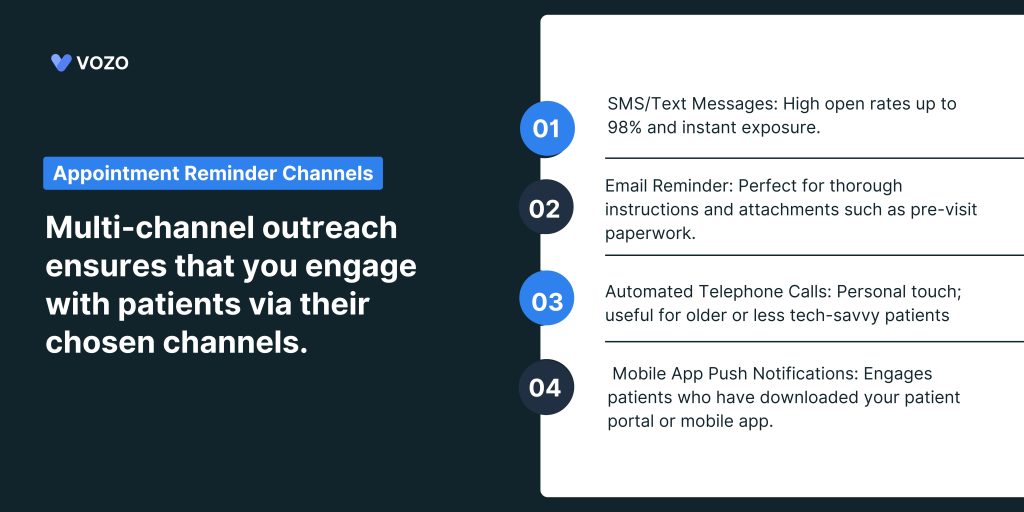
Multi-channel outreach ensures that you engage with patients via their chosen channels. Common channels are:
1. SMS/Text messages
Pros: High open rates up to 98% and instant exposure.
Best Practices: Keep messages to 160 characters and include the clinic name, date/time, and confirmation link.
2. Email Reminder
Pros: Perfect for thorough instructions and attachments such as pre-visit paperwork.
Best Practice: Use concise subject lines, such as “Reminder: Dr. Smith’s Appointment on July 15 at 2 PM.”
3. Automated Telephone Calls
Pros: Personal touch; useful for older or less tech-savvy patients.
Best Practices: Use a nice, human-sounding voice and enable keypress confirmations.
4. Mobile App Push Notifications
Pros: Engages patients who have downloaded your patient portal or mobile app.
Best Practices: Use in-app messaging for safe delivery of sensitive information.
Create Compelling Reminder Messages
1. Personalize Content
Patients respond better to personalized reminders.
- Address by first name (“Hello, Ms. Patel…”).
- Provider name: (“Dr. Liu at Downtown Clinic…”).
- When appropriate, mention the reason for the appointment (“Your annual wellness exam…”).
2. Provide Clear CTAs
The patient should be instructed on what to do next in each reminder:
- Verify or cancel: “Reply YES to confirm or CALL to reschedule.”
- Provide a direct link to an online scheduling website in the rescheduled section.
- Instructions for Prior Visits: Provide documents, fasting guidelines, and COVID-19 screening links or attachments.
3. Keep it Concise and Friendly
Aim for brevity while keeping a friendly and professional tone:
“Hello, James. This is Midtown Family Practice reminding you of your dental cleaning on August 10 at 11 a.m. Please choose Y to confirm or C to cancel. “See you soon!”
Automate with the Right Tools
1. Evaluate Reminder Software
Look for solutions that work easily with your EHR or practice management system. Key Features to Consider:
- Bidirectional Sync: Receive real-time appointment data updates.
- Multi-Channel Support: SMS, email, voice, and push alerts all in one dashboard.
- Analytics and reporting: Monitor open rates, confirmation rates, and no-shows.
- HIPAA Compliance: Use encrypted transmission and safe data management.
2. Integration Best Practices
- API Connectivity: Use established APIs like FHIR, HL7 to automatically get appointment data.
- Data Mapping: Ensure that appointment fields such as date, time, and provider are accurately mapped across systems.
- Testing and Quality Assurance: Before full deployment, do pilot testing with a limited patient subset.
Ensure Compliance and Patient Privacy
Reminder systems must follow data protection rules.
- HIPAA (US) requires that any communications holding Protected Health Information.
- GDPR (EU) requires specific authorization before sending commercial or reminder communications.
- Local regulations help to check your country’s telecommunications and data legislation.
Always provide opt-out instructions in SMS and email notifications, such as “Reply STOP to unsubscribe.”
Monitor, Measure, and Optimize
1. Key Performance Indicators
| KPI | Why It Matters |
| Confirmation Rate (%) | Indicates patient engagement |
| No-Show Rate (%) | Measures success in reducing missed visits |
| Reschedule Rate (%) | Tracks patient flexibility and satisfaction |
| Cost per Reminder Sent | Helps analyze ROI of reminder campaigns |
2. Continuous Improvement
- A/B testing involves experimenting with different messaging styles, send timings, and CTAs to see what works best.
- Patient feedback includes survey links on occasion to get qualitative insights.
- Review analytics every month and adjust frequency, channels, or content in response to performance patterns.
3. Encourage two-way Communication
Allowing patients to connect directly through reminders can further remove obstacles.
- Reply-to-Reschedule allows patients to text back their desired new time slot.
- Pre-appointment questions include brief questionnaires regarding symptoms or specific accommodations.
- Live speak integration provides a way to speak with staff for pressing questions.
Such engagement not only minimizes incoming calls but also improves the patient experience.
Address Common Challenges
Invalid Contact Details
- Verify patient phone numbers and email addresses at check-in.
- Use automated validation services to identify undeliverable addresses.
Language Barriers
- Provide multilingual reminders depending on patients’ preferences in their records.
- Use plain language and avoid medical jargon.
Technological Adoption
- For patients who do not have cellphones or internet access, prioritize voice calls.
- During their visits, teach patients how to use digital portals effectively.
Building the Technology Stack
1. EHR or PMS Integration
- Two-way synchronization for real-time scheduling adjustments
- Write-back with confirmation status and updated contact information
2. Communication Platform/API
- Omnichannel delivery such as SMS, email, and voice
- Template library includes merge fields and localization
3. Consent and Preference Center
- Capture opt-in upon registration and through the patient portal
- Granular channels like marketing versus clinical
4. Analytics Dashboard
- No-show rates vary by provider, area, and channel
- Message-level analytics include delivery, open, click, and reply
5. Automation & AI Layer
- Natural language rescheduling via chatbot
- Predictive send timings based on patient engagement data
Related: Automated Appointment Reminders: Why It Matters In 2025?
Vozo Patient Portal Solution
Vozo patient portal software provides a comprehensive solution to help healthcare providers achieve clinical, financial, and operational excellence through a powerful patient portal.
Our exceptional Patient Portal Software will allow:
- Have complete access to patients’ medical records digitally
- Our cost-effective subscription plan helps healthcare practices at all levels.
- The Vozo patient portal can effortlessly be integrated and implemented with any EHR system to increase productivity.
- Vozo’s Patient Portal respects users’ privacy and safeguards health-related records and personal information.
- 24/7 availability to support you with your needs and requirements.
- We will customize Vozo’s patient portal for a seamless workflow by understanding your unique needs for your specialty healthcare practice.
Patients can request appointments, access health records and lab results, and even pay bills online with the help of a patient portal, which creates a personal touch with you always.
Leverage the Vozo Patient Portal for Better Healthcare Solutions.
About the author
Lara Dixit


Lara Dixit is a Senior Business Manager at Vozo Health, specializing in EHR platforms, practice management, billing, and revenue cycle optimization. She helps healthcare providers improve operational efficiency, streamline workflows, and drive sustainable practice growth. At Vozo Health, she focuses on business strategy, healthcare automation, and scalable growth for modern medical practices.